
Zoho Implementation & Automation Experts
Make Zoho Work for Your Business
We design, implement, and automate Zoho CRM, Zoho One, and custom Zoho workflows that simplify daily operations, improve team visibility, and help growing businesses close more deals with less manual work.
Make Zoho work
for your business.
We design, implement and automate Zoho systems that simplify operations, improve visibility and help your team work smarter.

Everything You Need to Make Zoho Work Better
CRM Setup
Configure Zoho CRM around your real sales process.
Automation
Remove repetitive work with smart workflows.
Integrations
Connect Zoho with the tools you already use.
Analytics
Turn business data into clear, usable insights.
Zoho One
Bring your core business operations together.
Data Migration
Move your data into Zoho safely and cleanly.
Custom Solutions
Build what your business uniquely needs.
CRM Setup
Configure Zoho CRM around your real sales process.
Automation
Remove repetitive work with smart workflows.
Integrations
Connect Zoho with the tools you already use.
Analytics
Turn business data into clear, usable insights.
Zoho One
Bring your core business operations together.
Data Migration
Move your data into Zoho safely and cleanly.
Custom Solutions
Build what your business uniquely needs.
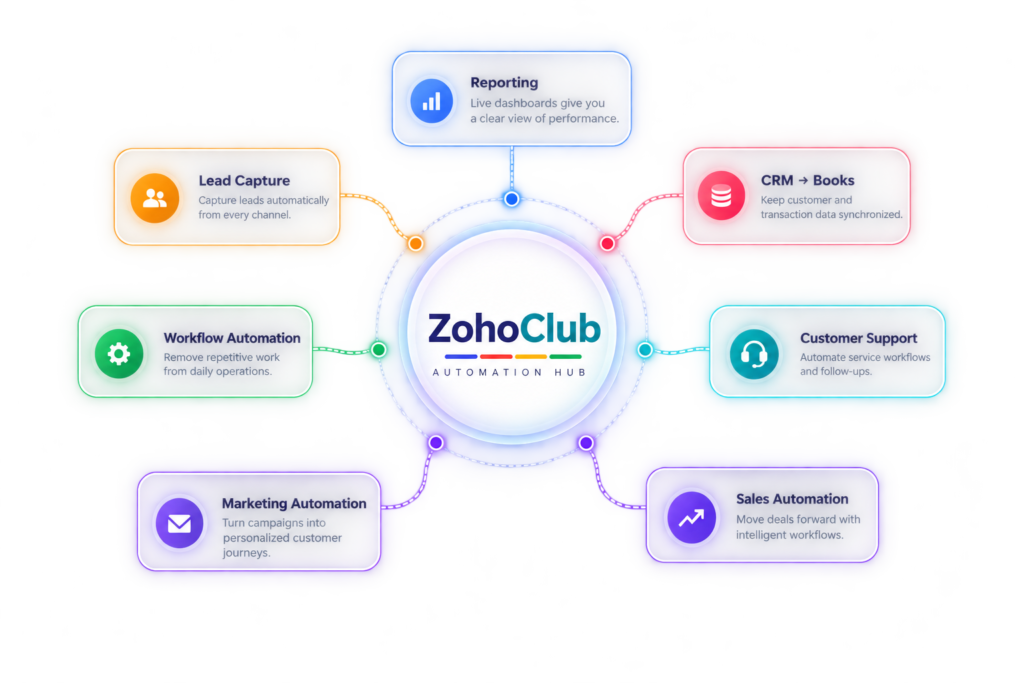
Your Business. One Connected Zoho Ecosystem.
Every workflow connects through one intelligent automation hub.

Plan & Pricing
A quick review that finds the gaps before you invest in Zoho.
- CRM setup review
- Automation check
- Integration check
- Data health review
- Written action plan
Basic Zoho Setup
Get Zoho CRM properly configured and ready for your team.
- CRM configuration
- Modules & fields
- Sales pipeline
- Basic workflows
- Users & permissions
- Reports & dashboards
Zoho One Setup
Core apps and connected workflows across your whole business.
- Zoho One organisation
- CRM, Books & Desk
- Projects & WorkDrive
- Zoho Analytics
- Cross-app automation
- Team onboarding
Workflow Automation
Remove manual work and connect Zoho to the tools you already run.
- Deluge scripting
- Approval workflows
- Third-party integrations
- Payment & invoice sync
- Custom functions
- Error monitoring
Managed Support
An on-call Zoho team for changes, fixes and ongoing improvements.
- Priority support desk
- Monthly change requests
- Admin & user training
- Health & usage reports
- Release updates
- Quarterly review call
Questions?
We have answers.
Practical answers about scope, timelines, migration and cost — the things worth settling before a single record moves.
Still not sure which Zoho setup fits?
Walk us through how your team works today. We’ll map the right apps, automation and integrations around it — and say so if you need less than you think.
| Not necessarily. If your immediate requirement is sales and customer management, Zoho CRM alone may be enough. Zoho One becomes more useful when you want multiple business functions connected in one ecosystem. |
| Yes. Zoho CRM can support automation for activities such as lead assignment, follow-ups, notifications, tasks and defined sales processes. The right automation depends on how your sales team works. |
| Zoho can be used to structure processes across areas such as sales, finance, customer support, marketing, projects and analytics. The best setup depends on your business processes and growth requirements. |
| Start with the business process. Then identify where Zoho should be configured, automated or customized to support it. A good implementation focuses on making the system fit the way the business needs to operate without creating unnecessary complexity. |
| Highly customized requirements can be assessed individually. Depending on the need, the solution may use configuration, workflows, custom functions, integrations or a custom Zoho Creator application. |